Technical SEO: What Every Website Owner Should Check
июнь 18, 2026
•
7 minutes
Content
Technical SEO: What Every Website Owner Should Check
What is technical SEO?
Why technical SEO matters for website owners
Website indexing: do search engines see your pages?
Robots.txt: what can accidentally be blocked from search engines
Sitemap.xml: a website map for search engines
404 errors and broken links
301 redirects: how not to lose SEO value
Duplicate pages and canonical
Loading speed and Core Web Vitals
Mobile version of the website
HTTPS and security
URL structure
Meta tags and H1-H3 headings
Schema.org markup
Internal linking
Image optimization
JavaScript and modern websites
Status codes and server errors
Tools for checking technical SEO
How often to conduct a technical SEO audit
Common mistakes made by website owners
How VUCA Digital Studio helps with technical SEO
Conclusion
Technical SEO: What Every Website Owner Should Check
You can invest money in beautiful design, order high-quality texts, and launch advertising, but still not receive leads from your website. Often, the reason is not the content or the offer, but technical errors that prevent search engines from working properly with the site. If Google and Yandex have trouble crawling it, pages load slowly, or the structure is unclear, all other promotion efforts lose their effectiveness.
This article is a practical guide for business owners and marketers. Without unnecessary theory or complicated terminology, we will explain what technical SEO is, which basic elements should be checked regularly, and why a technical website audit directly affects traffic, search rankings, and the number of inquiries.
What is technical SEO?
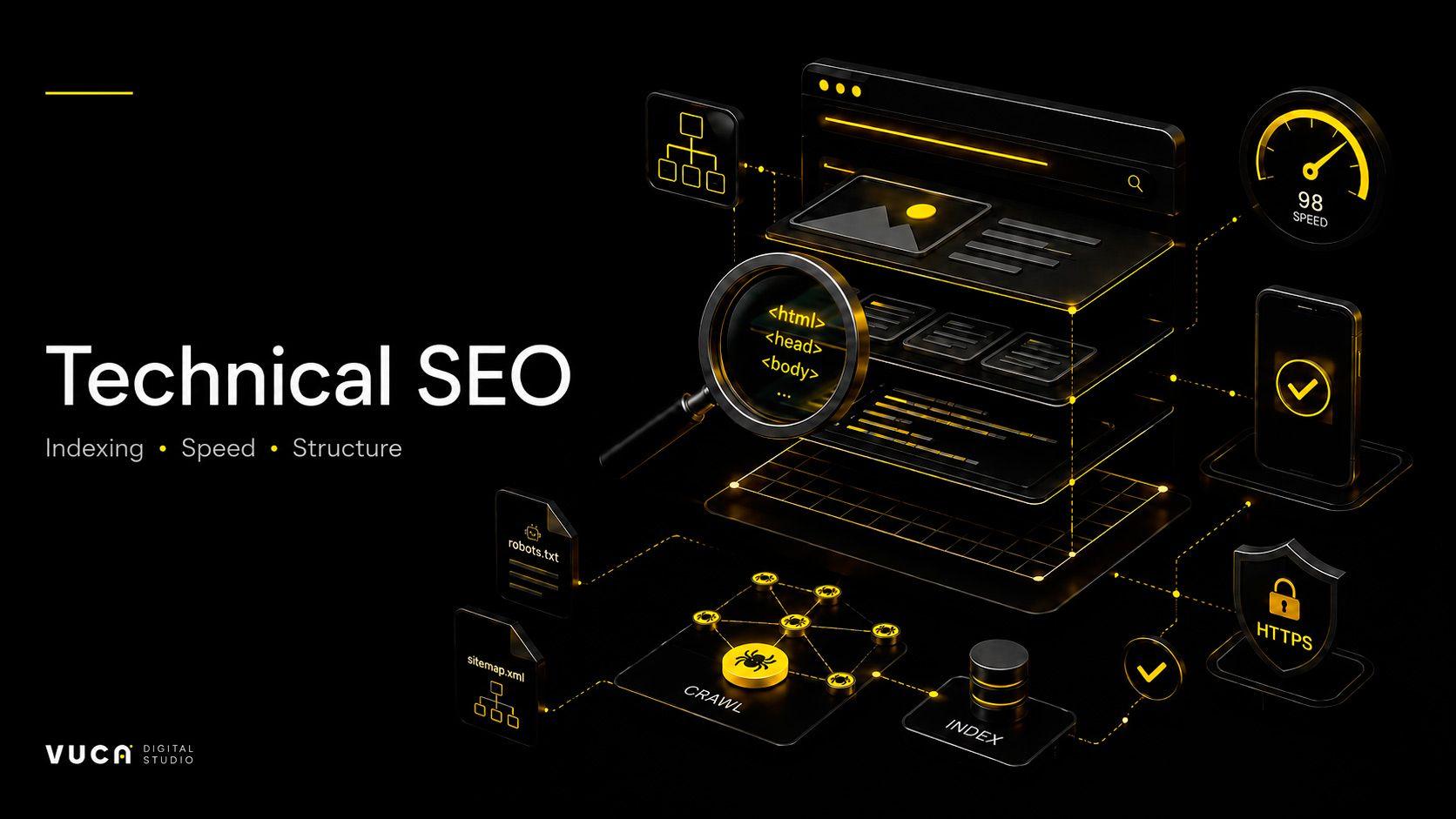
Technical SEO is the process of configuring a website so that search engines can correctly crawl it, index it, load it quickly, and properly understand the content of its pages. This includes loading speed, security, mobile optimization, URL structure, correct redirects, absence of duplicates, and clear page markup.
It is important to understand: technical SEO does not replace content and links. It is the foundation that everything else depends on. Good texts and backlinks work at full strength only when the website has no technical problems. Technical website optimization is not “work for developers just for the sake of development” — it is the foundation of business visibility in search.
Why technical SEO matters for website owners
A business owner does not need to understand every detail of the code. But it is important to know the basic areas of control and be able to ask the contractor the right questions: is the site indexed, are there any critical errors, does it load quickly, does it open correctly on mobile, are there duplicate pages or redirect problems?
If technical errors are not checked, a business may lose organic traffic, rankings, and leads — even if the site looks great on the outside. The problem is that these losses are not always visible immediately: the site “works,” but underperforms and misses clients for months. Regular SEO website checks help identify these issues before they start costing money.
Website indexing: do search engines see your pages?
Indexing is the process by which a search engine adds website pages to its database and starts showing them in search results. If an important page is not indexed, it cannot be found through search, no matter how good it is.
When checking indexing, it is important to make sure that Google and Yandex see all key pages, that necessary sections have not been accidentally blocked from indexing, and that technical pages, filters, duplicates, and service URLs have not entered the index. It is also important to check robots meta tags and pay attention to pages with statuses such as “discovered, but not indexed” and similar signals in Google Search Console and Yandex Webmaster — they often indicate hidden problems.
Robots.txt: what can accidentally be blocked from search engines
The robots.txt file is an instruction for search robots that tells them which sections of the website can be crawled and which cannot. A single error in one line can block an entire website or an important section from search, while the business may not understand for a long time why traffic disappeared.
The opposite situation is also common: technical and service pages remain open and pollute the index. The robots.txt file must be checked after a redesign, migration to a new domain or server, implementation of new filters, or CMS change — these are the moments when critical errors most often appear.
Sitemap.xml: a website map for search engines
An XML sitemap (sitemap.xml) helps search engines find and crawl pages faster. This is especially important for large websites and online stores with many sections and product pages.
The sitemap should contain only important and accessible pages with a 200 response code — without duplicates, redirects, 404 error pages, or low-value URLs. The sitemap must be kept up to date and submitted to Google Search Console and Yandex Webmaster so search engines receive a correct list of pages for indexing.
404 errors and broken links
A 404 error means that the page was not found. When a user clicks a link and lands on such a page, they are likely to leave the site. For search robots, broken links are a sign of low quality and wasted crawl resources.
It is worth regularly checking deleted pages, old URLs, errors after updates, and broken links in the menu, footer, articles, and service pages. Many such problems appear after redesigns, when some pages change their URLs while links to them remain old.
301 redirects: how not to lose SEO value
A 301 redirect is a permanent redirect from one URL to another. It is needed when changing URLs, deleting pages, moving a website, or changing section structure. It helps preserve accumulated search value and avoid losing rankings.
Problems begin when a temporary 302 redirect is used instead of a permanent 301 where it should not be, or when long redirect chains and redirect loops are created. This slows loading, confuses search robots, and dilutes SEO value. Each redirect should preferably be direct: from the old URL straight to the final destination.
Duplicate pages and canonical
Duplicates are pages with identical or almost identical content available at different URLs. Search engines do not understand which one should be considered the main version and may end up ranking the wrong page or lowering the rankings of both.
Duplicates can appear because of URL parameters, different address versions (with or without a slash, http and https, www and non-www), sorting, filters, UTM tags, and simply similar pages. To indicate the main version to search engines, the canonical attribute is used: it tells which page should be considered primary and helps consolidate signals on it.
Loading speed and Core Web Vitals
Loading speed directly affects user experience, conversion, and SEO. If a page opens slowly, some visitors leave before they even see your offer. Search engines take this into account and evaluate websites using Core Web Vitals — a set of metrics that reflect loading speed, responsiveness, and visual stability of the page.
When checking speed, pay attention to mobile loading, image weight, unnecessary scripts, correct font loading, layout stability during loading, and server response time. You do not need to dive into every technical detail — it is enough to understand that a slow website loses clients and ranks worse.
Mobile version of the website
Most traffic today comes from phones, and search engines primarily evaluate a website based on its mobile version. If a site is inconvenient to use on a smartphone, it affects both conversion and rankings.
On mobile, check text readability, button size and convenience, lead form functionality, menu usability, and loading speed. There should be no horizontal scrolling or broken layout blocks, and phone numbers and messenger links should be clickable. A simple test is to go through the entire customer journey from a phone: from the first page to submitting a request.
HTTPS and security
HTTPS and a valid SSL certificate are basic signs of a trustworthy website. They protect user data and increase trust, while browsers mark websites without HTTPS as unsafe, which scares visitors away.
Check that the certificate is valid and not expired, that all pages open via HTTPS, and that a correct redirect from HTTP is configured. It is also important to check for mixed content — a situation where a secure page loads some elements over an insecure protocol.
URL structure
Page URLs should be clear, short, and logical. A human-readable URL such as site.by/services/audit is much easier for both users and search engines to understand than a long technical address with parameters such as site.by/index.php?id=4821&cat=12.
A good practice is for the URL structure to reflect the website structure: sections, subsections, and pages should form a clear hierarchy. This simplifies navigation and helps search engines properly understand the logic of the website.
A technical audit must include checking Title and Description meta tags, as well as page headings. Title and Description largely determine how a page appears in search results and whether users want to click on it, so they should be unique for each page.
Each page should have one clear H1 heading that reflects its main topic, while H2 and H3 subheadings should organize the content into a logical structure. This helps users navigate the page faster and helps search engines understand what the page is about.
Schema.org markup
Schema.org markup is structured data that helps search engines better understand the type of page: organization, service, article, FAQ, breadcrumbs, reviews, products, and other elements. Correct markup can improve how a snippet appears in search results — for example, by adding ratings, prices, or questions and answers.
It is important to implement structured data correctly and check it with validators, because search engines may simply ignore markup with errors, and the effect will be lost.
Internal linking
Internal linking means links between pages within the same website: from services to articles, from case studies to services, from the homepage to categories. It helps distribute page authority, improves navigation, and keeps users on the site longer.
Proper internal linking guides visitors toward a target action — a request or a call — while also telling search engines which pages are most important. This is a simple but often underestimated growth tool.
Image optimization
Images are often the main reason for slow loading. When optimizing them, check their size and weight, use of modern formats such as WebP, presence of alt texts, clear file names, and lazy loading, where images load as the user scrolls.
Alt texts are important not only for speed: they describe images for search engines and users with disabilities, and can also help attract traffic from image search. Heavy, unoptimized images slow down the site and worsen Core Web Vitals.
JavaScript and modern websites
Modern websites built on React, Next.js, and other frameworks require separate checks. The main content on such websites is often generated through JavaScript, and it is important to make sure that search robots actually see texts, links, and key blocks rather than an empty page.
If content renders incorrectly, the search engine may not see a significant part of the page, and the website will lose potential traffic. That is why rendering checks are an essential part of technical audits for modern websites.
Status codes and server errors
Each page returns a server response code. Code 200 means the page is available, 301 means a permanent redirect, 404 means the page is not found, and 500 means a server error. During an audit, it is important to check that pages return the correct codes.
Server errors 500 harm both users and search robots: if a page is periodically unavailable, it may drop out of the index. For large websites, server log analysis is also useful — it shows how search robots crawl the site and what errors they encounter.
Tools for checking technical SEO
A number of tools are used for technical audits. Google Search Console and Yandex Webmaster show how search engines see the site and what indexing errors it has. PageSpeed Insights evaluates speed and Core Web Vitals. Screaming Frog SEO Spider and Netpeak Spider crawl the entire site and find duplicates, broken links, and meta tag issues. Ahrefs and Semrush help with broader analysis, while Schema.org validators check structured data correctness. There are also separate tools for checking mobile usability and speed.
However, tools themselves only show data. The main thing is to interpret it correctly and set priorities: which errors are critical and require immediate fixing, and which can be postponed. This is a matter of experience, not just pressing a “check” button.
How often to conduct a technical SEO audit
A basic check of key indicators — indexing, speed, errors in Search Console and Webmaster — should be done regularly, at least once a month or once a quarter. This helps detect problems at an early stage.
A full technical website audit should be conducted after a redesign, migration to a new domain or server, CMS change, launch of new sections, noticeable traffic drop, and before starting SEO promotion or advertising campaigns. Promoting a website with technical errors means paying for traffic that may not convert.
Common mistakes made by website owners
Many problems repeat from project to project. A website is launched and then no longer checked technically. After a redesign, redirects from old URLs are not configured. Important pages are accidentally blocked from indexing. Low-value URLs appear in the sitemap. The website loads slowly on mobile. Title and Description tags are duplicated across pages. There is no structured data at all. 404 errors are not monitored. Forms and buttons work poorly on mobile.
And perhaps the most common mistake is starting SEO with texts and links without checking the technical foundation. As a result, money is invested in promotion, but the website cannot properly support it because of technical issues.
How VUCA Digital Studio helps with technical SEO
VUCA Digital Studio conducts technical website audits and checks everything discussed above: indexing, robots.txt, sitemap.xml, loading speed and Core Web Vitals, mobile optimization, URL structure, meta tags and headings, Schema.org markup, duplicate pages, redirects, internal linking, and server errors.
We do not simply find problems — we prepare a clear action plan that can be handed over to your developers or assigned to our team. At the same time, we view technical SEO not separately, but in connection with promotion, analytics, the website, advertising, and leads — because the final business result depends on this connection.
Conclusion
Technical SEO is the foundation of a website’s visibility in search. You can invest in design, content, and advertising, but if the site is poorly indexed, loads slowly, or contains structural errors, duplicates, and redirect problems, the return will be lower than it could be. Regular checks help find such issues in advance — before they start costing the business traffic and leads.
If you want to understand the real technical condition of your website, contact VUCA Digital Studio for a technical SEO audit. We will show what prevents your website from growing and prepare a specific action plan for stable indexing, speed, and lead growth.
Keywords:
technical SEO, technical website audit, SEO website audit, technical website optimization, SEO website check, website indexing, robots.txt, sitemap.xml, 404 errors, 301 redirects, canonical, duplicate pages, Core Web Vitals, website loading speed, mobile version of the website, Schema.org markup, internal linking, SEO website promotion, website audit for business, technical SEO for business, VUCA Digital Studio, digital agency, SEO promotion, order an SEO website audit.

Dima Karchmit
Full stack developer
Recent posts